SyllabusCraft logo SyllabusCraft Find your best freelance or online business path
Beginner build path

No-Code & Automation Builder for Beginners

No-code and automation can be a strong beginner path if you like solving repetitive problems, connecting tools, and building small useful systems without traditional coding.

This public page explains the path. The quiz is what confirms whether this should be your primary match, backup path, or avoid-for-now path.

Free guide unlocks after the quiz Optional starter kit appears only after the result is saved
What this path actually looks like

No-Code & Automation Builder for Beginners is usually a narrow first offer, not a full business all at once.

This path usually starts smaller than people expect. Instead of trying to build a full app, beginners do better by creating one workflow, one internal tool, one lead form system, one calculator, or one simple dashboard that removes friction for a business.

A simple first offer

Keep the first version clear.

I build simple no-code tools and automations that solve repetitive problems for small businesses.

Solve one repeated problem with a simple form, calculator, booking flow, automation, or small dashboard, then show the before-and-after clearly.

Research this path

Use these before you try to sell it.

Why this can fit you

  • You enjoy fixing messy processes
  • You are curious about tools, systems, and workflows
  • You would rather build a useful solution than create content all day
  • You can start small and improve a tool over time

Beginner niches

  • Simple calculator or tool builder
  • Zapier automation specialist
  • Notion workspace builder
  • Webflow or Carrd site builder
  • Small SaaS product creator

Skills to learn first

  • Bubble, Glide, or Webflow basics
  • Zapier or Make automation
  • Prompt engineering for AI tools
  • Simple UX design thinking
  • Product packaging and pricing

Tools to start with

  • Bubble or Glide
  • Zapier or Make
  • Notion
  • Carrd or Webflow
  • ChatGPT
First-week plan

Do not overbuild the first version.

01

Study real examples

Collect 3 to 5 real examples of people or brands already doing this work well.

02

Learn one core skill

Choose the first skill that creates useful output instead of trying to learn everything.

03

Build one sample

Create one small proof piece that makes the offer real enough to show someone.

04

Write the offer clearly

I build simple no-code tools and automations that solve repetitive problems for small businesses.

What unlocks after the quiz

The quiz keeps the recommendation matched to the user.

The public page is for research. The quiz result is what unlocks the matched free guide and the optional starter kit for this path.

No-Code and Automation Builder Starter Kit preview
Optional starter kit

Package a no-code or automation skill into a simple tool, workflow, or service people can pay for.

  • No-code project idea bank
  • Automation planning worksheet
  • Offer, demo, and delivery templates
First Client and First Sale bonus bundle preview
Bonus bundle included with purchase

11 practical first-client resources

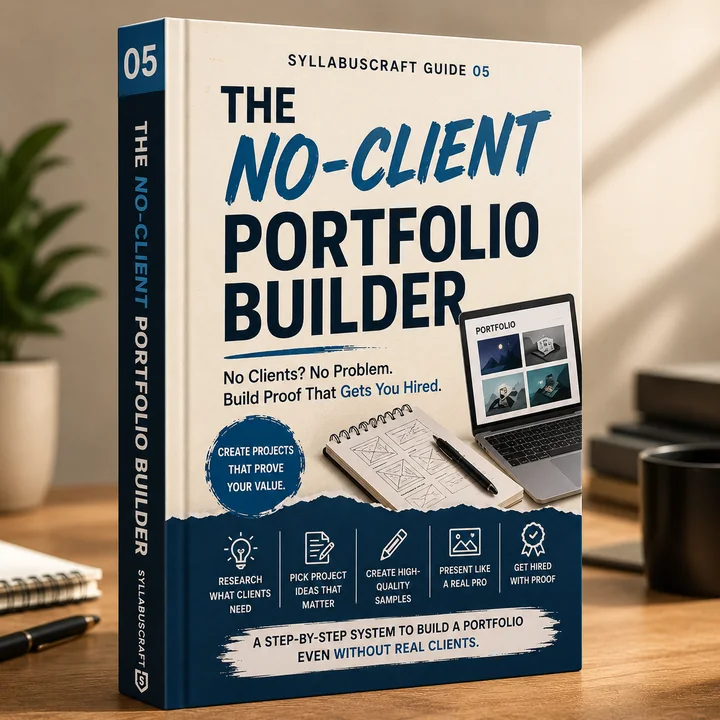
The starter kit for this path also includes the First Client & First Sale Bonus Bundle with trackers, message help, pricing support, and the First Client Platform Map.

Related resources

Read these before you decide.

FAQ

Common questions about no-code & automation builder for beginners

Do I need to know how to code first?

No. The point of this path is that you start with visual builders, automations, and simple tool logic. You still need clear thinking and patience, but you do not need a developer background to begin.

What should I build first as a beginner?

Build one small solution that fixes one repeated problem: a lead tracker, a booking flow, a calculator, a CRM helper, or a simple automation between two tools.

Can this be sold as a service and not only as a product?

Yes. Many beginners start by building small tools or workflows for clients, then later turn repeated builds into templates, packages, or their own reusable product.

Which tool should I learn first?

Choose based on the type of problem you want to solve. If you want automations, start with Zapier or Make. If you want simple apps or dashboards, start with Glide, Bubble, Notion, or a lightweight site builder.
Need a matched answer?

Take the quiz instead of guessing from one page.

The quiz compares this path with the other beginner options, shows a backup path, and unlocks the free guide only after the result is saved.